Share This Blog Post
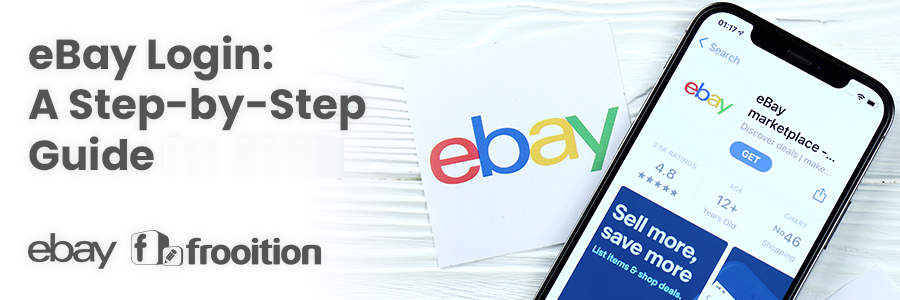
This guide shows you how to use eBay login to sign in to your account on a computer, phone or the eBay app, and how to fix the most common sign-in problems: a forgotten password or username, a lost account, two-step verification codes that don’t arrive, and accounts that are locked or suspended.
Quick answer: how to log in to eBay
- Go to ebay.com (or your country’s site, such as ebay.co.uk) or open the eBay app.
- Select Sign in at the top of the page.
- Enter your email address or username, then your password, or use a passkey or a linked Google, Apple or Facebook account.
- Complete two-step verification if you’ve turned it on.
Forgotten your password? Select Reset your password on the sign-in page.
How to log in to eBay on a computer
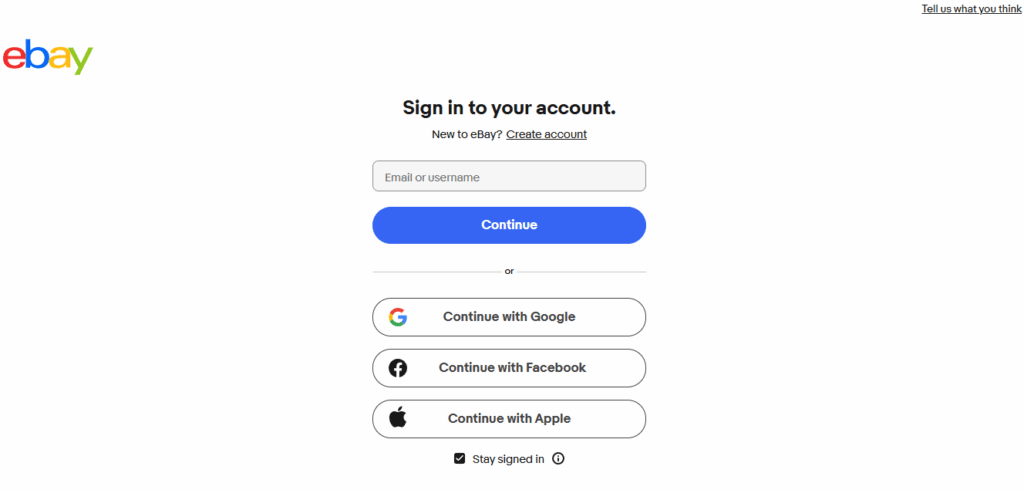
- Go to eBay’s official website. Type ebay.com into your browser, or your country’s site, such as ebay.co.uk. Avoid sign-in links in emails or texts.
- Select “Sign in” in the top-left corner of the page.
- Enter your email address or username and select Continue.
- Enter your password, or use a passkey if you’ve set one up. If you created your account with Google, Apple or Facebook, choose that option instead.
- Complete two-step verification if eBay asks for a code.
Once you’re signed in, you can open My eBay to see your purchases, watchlist and messages, or Seller Hub if you sell.
How to log in to the eBay app
- Download the official eBay app from the App Store (iPhone and iPad) or Google Play (Android).
- Open the app and tap “Sign in”.
- Enter your email address or username and password, or use a passkey or linked Google, Apple or Facebook account.
- Complete two-step verification if asked.
The app can keep you signed in, and on supported phones you can use Face ID or fingerprint sign-in through a passkey, so you don’t have to type your password each time.
Forgot your eBay password?
- Go to the eBay sign-in page and enter your email address or username.
- Select Reset your password.
- Choose how to receive a code or link: usually by email or text message.
- Follow the instructions and create a new password you haven’t used before.
If the email doesn’t arrive within a few minutes, check your spam and junk folders, and make sure you’re using the email address registered to your eBay account.
Can’t find your eBay account or forgot your username?
- Sign in with your email address instead. eBay accepts your email address or your username, so you don’t need to remember your username.
- Search your inbox for emails from eBay, such as order confirmations or your welcome email. They show which email address the account uses, and often your username.
- Try other email addresses you’ve used in the past, including old work or school addresses.
- Check whether you signed up with Google, Apple or Facebook. If so, use that same sign-in option.
If none of these work, contact eBay customer service through the Help & Contact page. They can help you find your account once they’ve confirmed your identity.
Two-step verification problems
Two-step verification adds a code to your sign-in, which makes your account much harder to break into. If your code doesn’t arrive:
- Check that your phone has signal and the number on your account is still yours.
- Wait a minute before requesting a new code. Requesting several codes in a row can delay them.
- If you use an authenticator app, check that your phone’s date and time are set automatically.
- If you’ve lost access to your phone, use another verification option on the sign-in screen or contact eBay customer service.
Common eBay login problems and fixes
| Problem | Fix |
|---|---|
| Forgotten password | Select “Reset your password” on the sign-in page |
| Forgotten username | Sign in with your email address instead |
| Can’t find your account | Search your inbox for emails from eBay and try other email addresses you’ve used |
| Verification code not arriving | Check your signal and phone number, wait a minute, then request a new code |
| Sign-in page won’t load or keeps looping | Clear your browser’s cache and cookies, turn off browser extensions, or try another browser or the app |
| “Your account is restricted” or “suspended” | Check your email and eBay messages for details, then contact eBay customer service |
| You think someone else accessed your account | Reset your password straight away, turn on two-step verification and contact eBay customer service |
How to keep your eBay account secure
- Only sign in on eBay’s official website or app. Type the address yourself rather than following links in emails or texts.
- Turn on two-step verification in your account’s sign-in and security settings.
- Use a strong, unique password, or a passkey, which can’t be phished.
- Watch for phishing. eBay won’t ask for your password by email, text or phone. Check messages in My eBay rather than trusting emails that say they’re from eBay.
- Sign out on shared devices.
Managing more than one eBay account
Many sellers run more than one eBay account, for different brands or for separate eBay sites. eBay lets you sign in to one account at a time in a browser, which means signing out and back in to switch. Our guide on whether you can have multiple eBay accounts explains eBay’s rules.
Free Frooition account
One login for all your eBay accounts
Stop signing in and out to switch accounts. Link your eBay accounts to a free Frooition account and manage them together.
- See listings, orders and messages from every linked account on one screen
- Reply to all your eBay messages from one inbox
- Scan every live listing for missing item specifics
No contract, no payment details and no minimum period. Already have one? See how multiple accounts work.
Signed in and selling? Make your listings work harder
Once you’re in Seller Hub, a few quick checks can make a big difference to your sales. Paste any of your eBay item numbers below to see which item specifics your listing is missing. No account needed.
A professional eBay listing template makes your listings look trustworthy on every device, and better eBay SEO helps buyers find them. See how one of your own listings could look in a Frooition design, free and with no obligation: get a free eBay listing preview.
Frequently asked questions
How do I log in to eBay?
Go to ebay.com, or your country’s eBay site, and select Sign in at the top of the page. Enter your email address or username and your password, or use a passkey or a linked Google, Apple or Facebook account, then complete two-step verification if asked.
Can I log in to eBay with my email address instead of my username?
Yes. eBay accepts either your email address or your username on the sign-in page.
How do I reset my eBay password?
On the sign-in page, enter your email address or username and select Reset your password. eBay sends a code or link by email or text so you can create a new password.
How do I find my eBay account if I’ve forgotten my details?
Search your inbox for emails from eBay to find the email address your account uses, try any other email addresses you’ve used, and check whether you signed up with Google, Apple or Facebook. If you still can’t find it, contact eBay customer service.
Why can’t I log in to my eBay account?
The most common reasons are a wrong or expired password, signing in with a different email address from the one on your account, a verification code that hasn’t arrived, browser cache problems, or a restriction on your account. Work through the fixes in the table above, then contact eBay customer service if you’re still locked out.
Is the eBay app login the same as the website?
Yes. You use the same eBay account and sign-in details on the website and in the app.
How do I switch between eBay accounts?
In a browser, sign out of one account and sign in to the other. If you manage several selling accounts, tools such as Frooition let you see listings, orders and messages from all of them in one place.
Share This Blog Post
Related Posts

Thanks! We'll be in touch within one business day.