Share This Blog Post
The best keywords for eBay are the exact words buyers type into the search bar and the filters they tick down the left-hand side. Get both right and your listing shows up. Miss either one and it quietly drops out of results, however good the item or the price.
This guide shows you how to find the best keywords for eBay using free tools you already have, where to put them in a listing, and the mistakes that get listings buried. Frooition has been an eBay partner since 2006, so everything here comes from fixing real listings for UK and US sellers, not theory.
Check one of your listings before you read on
Paste any eBay item number. Our free eBay listing report reads it straight from eBay and shows which item specifics are missing, and how many buyers a month filter by each one.
No account needed. Three free checks a day.
The basics
What eBay keywords actually are
eBay keywords are the words and phrases buyers use to find products. eBay’s search engine, Cassini, matches those searches against what it knows about your listing, then ranks the matches using things like your sales history, seller performance and how often buyers click and buy.
Cassini reads keywords from several places, not just the title:
- The title. The single most important place. You get 80 characters.
- Item specifics. Brand, size, colour, model, material and so on. These power the filters buyers use to narrow results.
- Product identifiers. Brand plus MPN, or a UPC/EAN, which lets eBay match your item to its catalogue. Our guide to using MPNs on eBay covers this in detail.
- Category. The wrong category can hide a listing from the searches that matter most.
- Description. Useful for buyers once they click, and for buyers who search including descriptions, but it carries far less weight than the title and item specifics.
That last point is where most sellers go wrong. They polish the title and ignore item specifics, then wonder why they get views on broad searches but disappear the moment a buyer ticks “Brand” or “Size”.
Picking your words
Which are the best keywords for eBay: broad or specific?
Broad keywords like “drill” or “trainers” get enormous search volume, but you’re competing with every listing in the category and most of those buyers are just browsing. Specific, long-tail keywords like “Makita DHP484Z combi drill body only” get fewer searches, but the person typing them knows exactly what they want and is close to buying.
The best keywords for eBay usually combine both: the specific terms that describe exactly what you’re selling, arranged so the broader words are still in there. A well-built title naturally does this, because “Makita DHP484Z 18V Combi Drill” also contains “Makita drill”, “18V drill” and “combi drill”.
The research
How to find the best keywords for eBay (free methods)
You don’t need a paid keyword tool to start. These methods all use data straight from eBay.
Use the eBay search bar
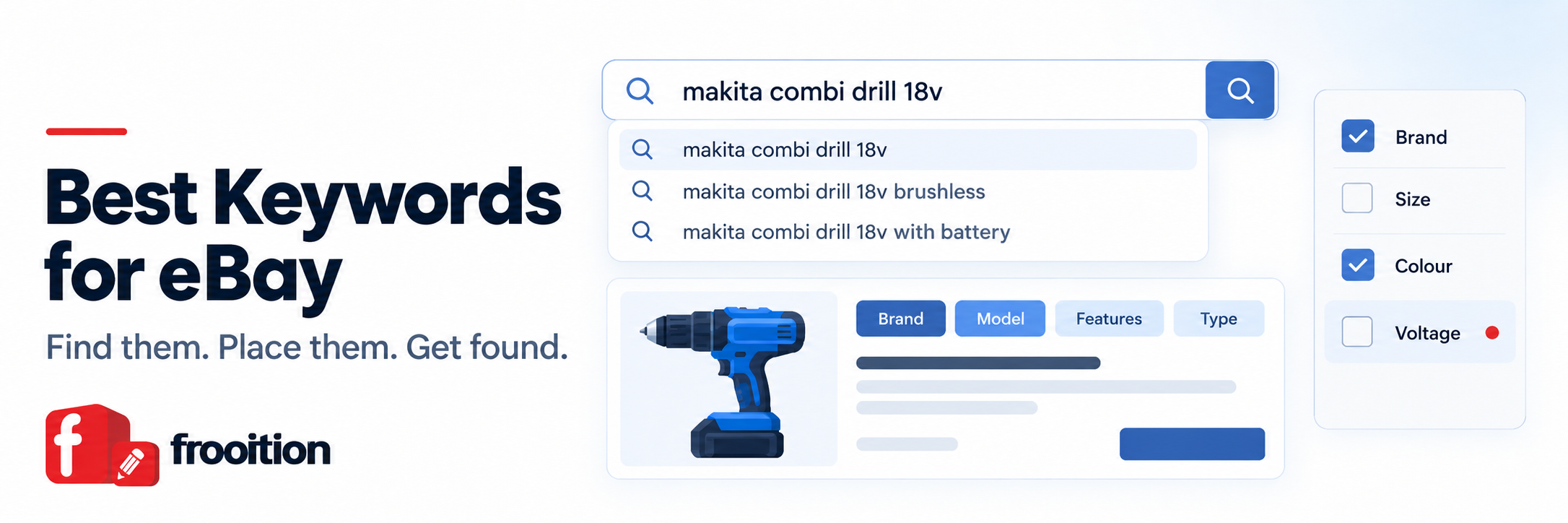
Start typing your product into eBay’s search bar and watch the suggestions. They’re based on what buyers actually search for, so every suggestion is a real keyword. Try the product name, then the brand, then the product type, and note the extra words that keep appearing, such as sizes, model numbers, “bundle” or “body only”.
Filter by sold items
Search for your product, then tick “Sold items” in the filters. Now you’re looking at titles that actually converted. Note the words that appear again and again in the listings that sold, and the order they appear in.
Use Terapeak in Seller Hub
Terapeak Product Research is free inside Seller Hub. It shows sold listings, average prices and sell-through for a search term over time, which helps you decide which of two similar keywords is worth prioritising. See our Terapeak guide for a walkthrough.
Read the filters down the left-hand side
Search your category and look at the filter panel. Every filter eBay shows (Brand, Size, Colour, Type, Compatible Model and so on) is an item specific that buyers use to narrow results. If your listing leaves one of those blank, it drops out of every search where a buyer ticks it. This is the keyword gap sellers miss most often, and it’s exactly what our free eBay listing report checks for you, along with how many buyers use each filter.
Study the top sellers in your niche
Look at the listings that sit at the top of results for your main search. Check their titles, their item specifics and the category they’ve chosen. You’re not copying them, you’re learning the vocabulary buyers in your niche respond to. Often the best keywords for eBay in a niche are terms you’d never think of until you see them repeated across the top sellers.
Listen to your buyers
Buyer messages and questions tell you how real people describe your products. If buyers keep asking “does it fit the 2019 model?”, that model year belongs in your title or item specifics.
Putting them to work
Where to put your eBay keywords
Build the title in this order
A reliable structure for eBay titles is brand, then model, then key features, then product type, then size, colour, configuration or condition. Put the words buyers search for first at the front, and use as much of the 80 characters as you can with genuinely useful words.
One title, broken down
DHP484ZModel
18V LXT BrushlessKey features
Combi DrillProduct type
Body Only – NewConfiguration and condition
“Makita DHP484Z 18V LXT Brushless Combi Drill Body Only – New” uses 60 of 80 characters, leaving room for a compatible battery range or a bundle detail if it applies.
| Weak title | Why it fails |
|---|---|
| Makita Drill L@@K Great Condition Must See!! | No model, voltage or type. “L@@K” and “Must See” are words nobody searches for. |
| Drill Makita Cordless Drill Power Drill Tool Drill | Repeats “drill” instead of adding new, searchable detail. |
| Makita Combi Drill not DeWalt Bosch Milwaukee | Uses other brands’ names to catch their searches, which breaks eBay’s rules. |
Fill every relevant item specific
Complete every required item specific and every recommended one that applies. Use eBay’s own suggested values where you can (for example “Blue” rather than “navy-ish blue”), because those are the values the filters match on. Our eBay item specifics guide explains required and recommended fields in more depth. Item specifics are also where you can add useful keywords that won’t fit in an 80-character title, such as material, compatible models or features.
If you’re not sure what’s missing, paste the item number into the free eBay listing report. It lists each missing item specific next to eBay’s own figures for how many buyers filter by it, so you can fix the gaps that cost you the most views first.
Write the description for buyers
Use the description to answer the questions a buyer would ask: what’s included, condition details, compatibility, dimensions. Natural use of your main keywords here is fine, but don’t repeat them for the sake of it. A clear, mobile-friendly description helps the listing convert, and conversion feeds back into how eBay ranks you.
Pick the most specific category
Choose the deepest category that genuinely fits. It decides which item specifics eBay asks for and which filters your listing can appear under.
What goes wrong
eBay keyword mistakes that bury listings
- Keyword stuffing. Repeating the same word or piling in loosely related terms makes titles harder to read and doesn’t earn extra visibility.
- Other brands’ names. Phrases like “not Nike” or “similar to Dyson” count as search manipulation under eBay’s rules and can get a listing removed.
- Filler words. “Wow”, “L@@K”, “rare” (when it isn’t) and “must see” use up characters without matching any real search.
- Blank item specifics. The most expensive mistake on the list, because every filtered search skips the listing.
- Set and forget. Search behaviour changes with seasons, new models and trends. Titles that worked last year may not work now.
- Ignoring the marketplace. UK and US buyers can search differently (“trainers” and “sneakers”, “colour” and “color”), so check the search bar on each site you sell on.
Checking it worked
Track whether your keywords are working
Seller Hub’s Traffic report shows impressions, click-through rate, page views and sales conversion for your listings. Read them together:
- Low impressions usually means a keyword or item specifics problem. The listing isn’t showing up for enough searches.
- Impressions but few clicks points to the title, main photo or price not appealing in results.
- Clicks but few sales is usually price, shipping, description or trust, not keywords.
Change one thing at a time, give it a couple of weeks, and compare. The best keywords for eBay are the ones that move these numbers, not the ones that simply sound right. Listings with no sales and little traffic over a few months are the first ones to revisit.
Doing it at scale
Finding the best keywords for eBay across hundreds of listings
Doing all of this by hand works for a handful of listings. For a full shop it’s weeks of work, which is why most sellers never get round to it. Frooition’s tools do the checking for you:
- eBay Listing Optimizer scans every live listing and shows which item specifics are missing, free to see.
- eBay AI Tools suggest titles, descriptions and item specifics, and nothing goes live without your approval.
- Bulk Revision updates titles and item specifics across thousands of live listings at once.
- eBay SEO services are there if you’d rather our team researched and rewrote your listings for you.
Seeing the gaps is free. Applying the fixes to your live listings is the paid step, by credits, subscription or our team doing it for you, so you only pay once you’ve seen what needs doing.
Check every listing you have, free
A free Frooition account connects your eBay store and runs the same check on every live listing. Seeing the gaps costs nothing. Applying the fixes is the paid step, and only once you choose to.
No payment details, no card, no contract, no minimum term.
Questions sellers ask
Best keywords for eBay: frequently asked questions
What are the best keywords for eBay?
The best keywords for eBay are the specific words buyers use to search for your exact item: brand, model, product type, key features, size and condition. Find them with the eBay search bar, sold listings and Terapeak, then use them in your title and item specifics.
How many keywords should an eBay title have?
There’s no set number. eBay titles allow 80 characters, so aim to use most of them with useful, searchable words and no repetition or filler.
Do item specifics count as keywords?
Yes. Item specifics power the search filters, so a missing Brand, Size or Colour can remove your listing from every search where a buyer uses that filter. You can check any listing for missing item specifics with the free eBay listing report.
Can I use another brand’s name in my listing?
Only if it’s true and relevant, such as a part that’s genuinely compatible with that brand’s product. Using other brands’ names just to catch their searches breaks eBay’s search manipulation rules.
Is there a free eBay keyword tool?
eBay’s own search suggestions, the sold items filter and Terapeak in Seller Hub are all free. For item specifics, Frooition’s free eBay listing report shows what’s missing on any listing, and a free account checks your whole shop.
How often should I update my eBay keywords?
Review listings that aren’t getting impressions or sales every few months, and revisit seasonal products before their peak. Change one thing at a time so you can see what made the difference.
Once you’ve found the best keywords for eBay, the rest of ranking comes down to how your listings and shop perform. Our eBay SEO guide covers those factors, from seller performance to listing quality.
Share This Blog Post
Related Posts
Thanks! We'll be in touch within one business day.