Share This Blog Post
You list a dozen items. Set fair prices. Take decent photos. And then nothing. Days pass, weeks pass, and the only number that moves is the watcher count — slowly upward, with no clicks attached.
If this is you, the worst thing you can do is start randomly tweaking. Lower the price, raise the price, change the title, rewrite the description, switch the category, end and relist. Without knowing which of the four possible problems you actually have, every change is a guess, and most guesses make it worse — eBay’s algorithm penalises listings that get repeatedly revised without clear improvement signals.
This guide gives you the diagnostic framework we use at Frooition after 20 years and several hundred thousand listings as an eBay Gold Partner. It tells you which of the four stages of the selling funnel is actually broken on your listings, and what to do about each one specifically. Work through it in order. Don’t skip ahead.
The four reasons eBay listings don’t sell
Every “my eBay listing isn’t selling” problem traces back to exactly one of four stages in the selling funnel. They have to be diagnosed in order, because each stage depends on the one before it:
- Visibility — Your listing isn’t being shown to buyers in search results.
- Click-through — Your listing is being shown but buyers aren’t clicking it.
- Conversion — Buyers are clicking but not buying.
- Expectations — Your listing is performing fine but you expected more.
If you don’t have visibility, nothing else matters — fixing your description won’t help if nobody sees the listing. If you have visibility but no clicks, your price and your description are irrelevant. Each stage has to be checked and fixed in order.
To diagnose which stage you’re at, you need three numbers from Seller Hub for any non-selling listing:
- Impressions (how many times eBay showed your listing in search results)
- Page views (how many people clicked through to the listing)
- Sales conversion rate (page views ÷ sales)
You’ll find these in Seller Hub > Performance > Listings, or on the listing-level analytics view. Pull those three numbers for your top 10 non-selling listings before you do anything else. They tell you which stage to focus on.
Skip the manual pull. Our free eBay listing checker scans every listing in your account and flags exactly which of the four stages each one is stuck at — with the specific fix per listing. No login, no install, no card.
Stage 1: Visibility problems (your listings aren’t being seen)
Symptoms: Impressions are very low or zero. Page views in single digits per week. The listing barely appears even when you search for it directly using the exact title.
This is the most common stage where sellers get stuck, and it’s the stage where DIY fixes most often fail because the causes are systemic rather than per-listing.
Cause 1.1 — Missing or incomplete item specifics
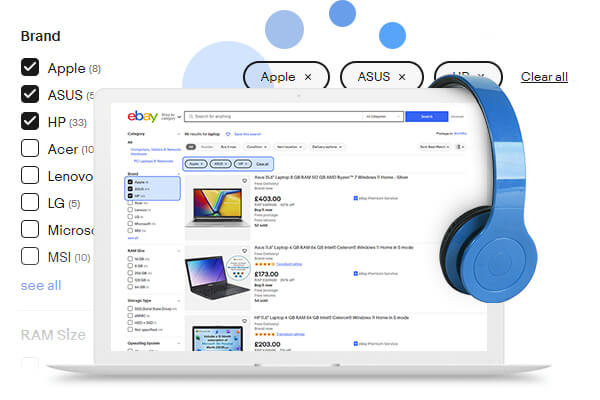
eBay’s Cassini algorithm uses item specifics (brand, size, condition, model, colour, material, MPN, GTIN, and dozens more depending on category) as the primary structured signal for matching listings to buyer searches. A listing without complete item specifics is excluded from filtered search results entirely — and the majority of eBay buyers filter their searches.
eBay continually adds new required item specifics to categories. If a required field is missing or has an invalid value (including “N/A” or “Does not apply” for most fields), the listing can be blocked from search filters or from revisions entirely. Most sellers have hundreds of listings with missing item specifics they don’t know about.
Fix: In Seller Hub > Active Listings, use the Quick Filters for “Required”, “Required Soon”, and “Recommended” to surface listings missing item specifics. For bulk fixes across larger catalogues, our eBay item specifics service handles thousands of listings at once.
Cause 1.2 — Title keyword problems
eBay’s search ranks heavily on title keyword matching. Three title mistakes destroy visibility:
- Stuffing in irrelevant words (eBay punishes keyword stuffing more aggressively now than it ever has)
- Missing the actual search terms buyers use (e.g. listing as “Apple iPhone 14” when buyers type “iPhone 14 128GB unlocked”)
- Wasting characters on punctuation, exclamation marks, brand-shouting (L@@K!!! BRAND NEW!!!) instead of search terms
Fix: Use eBay’s search bar autocomplete to see what buyers actually type for your product. Use Terapeak (free inside Seller Hub) to see which search terms generate the most clicks. Restructure titles so the highest-volume keywords appear first, no wasted characters.
Cause 1.3 — Cassini ranking penalties
eBay’s ranking algorithm — Cassini — actively demotes listings with poor account-level signals. The big ones:
- Defect rate above 2% — kills your ranking across every listing
- Low recent sell-through rate in the category
- Slow shipping times relative to category average
- Recent negative feedback or unresolved cases
- Repeatedly revised listings with no corresponding sales lift (eBay reads this as low confidence)
- Out-of-stock listings showing as zero quantity for extended periods
These are account-wide penalties — they affect every listing you have, not just the ones with the actual issue. This is why “I changed nothing and my sales suddenly stopped” is almost always a Cassini penalty kicking in from something account-level.
Fix: In Seller Hub > Performance, check your defect rate, late shipment rate, and cases-without-seller-resolution rate. Anything above the eBay-recommended threshold is suppressing every listing.
Cause 1.4 — Listing format and duration issues
Auction-format listings have different visibility profiles than fixed-price. Listings with very low Buy It Now prices relative to category benchmarks can be filtered out as suspected scams. Listings with no Top Rated Seller status, no Best Offer enabled, or no free shipping (in categories where competitors offer it) lose visibility.
GTC (Good Til Cancelled) listings that have been live for months without sales also accumulate a “stale” signal — eBay starts deprioritising them in favour of fresher listings with the same content.
Fix: For stale listings, end and relist with meaningfully different content (not just re-listed identical). For format issues, check competitors in your category — match the format conventions that the top three sellers are using.
Stage 2: Click-through problems (seen but not clicked)
Symptoms: Impressions are healthy (hundreds or thousands per week). Page views are very low relative to impressions (under 2% click-through rate). The listing is showing up but buyers are scrolling past it.
This is the stage where presentation matters most, and where most sellers waste time fixing the wrong thing.
Cause 2.1 — Weak gallery image
The gallery image (the thumbnail shown in search results) is the single biggest click-through driver. A bad gallery image kills click-through even when everything else is right. Three killers:
- Cluttered background that doesn’t isolate the product
- Product too small in the frame
- Poor lighting that makes the product look low-quality or used
eBay’s gallery image requirements have tightened — pure white background, product filling at least 80% of the frame, no text or watermarks, minimum 500px on the longest side.
Fix: A single afternoon of reshooting gallery images for your top 20 listings will typically lift click-through more than any other single change.
Cause 2.2 — Title that doesn’t promise the right thing
Even with the right keywords in the right order for ranking purposes, a title that doesn’t read as the thing the buyer is looking for will lose the click. Common issues:
- All-caps or shouting punctuation that looks scammy in search results
- The actual product description buried at the end of the title
- Brand and model in wrong order for buyer expectation
- Missing the differentiator (size, colour, condition, year) that the buyer cares about
Fix: Read your title as a buyer would read it in a list of 30 similar results. Does it clearly say what the product is, in the order a buyer’s eye expects?
Cause 2.3 — Price uncompetitive against the visible competition
Buyers see your price next to competitor prices in search results. If you’re meaningfully more expensive without a visible reason (Top Rated Seller badge, free shipping, faster delivery, better feedback), buyers skip past. The threshold is lower than sellers think — a 10-15% premium without a visible justification is enough to lose most clicks.
Fix: Check completed/sold listings (not active listings — active are asking prices, sold are actual market prices) for the realistic going rate. Adjust accordingly, or add the differentiator (free shipping, faster handling) that justifies the premium.
Cause 2.4 — Shipping cost shock
In eBay search results, shipping cost appears next to item price. A £15 item with £8 shipping reads as “£23” to most buyers and gets skipped past in favour of competitors offering the same item with free or low-cost shipping. The shipping number gets disproportionate weight in the click decision.
Fix: Absorb shipping into the item price wherever margins allow. In most categories, “free shipping” listings outperform “lower item price + shipping” listings of the same total cost. Run the calculation per category.
Stage 3: Conversion problems (clicked but not bought)
Symptoms: Page views are healthy. Watchers may be accumulating. But sales are not happening. Conversion rate (sales ÷ page views) is below 1-2%.
This is the stage where the listing itself is the issue rather than the search/discovery layer.
Cause 3.1 — Description that fails to close
Buyers click your listing because the gallery + title + price interested them. The description’s job is to close the sale by removing remaining doubts. Common failures:
- Wall of text with no structure
- Missing the specific details buyers need (compatibility, dimensions, condition specifics, included accessories)
- Generic boilerplate that doesn’t match the actual item
- No clear return policy
- No reassurance about packaging, dispatch speed, or seller responsiveness
A buyer with one unanswered question leaves. A buyer with five unanswered questions never returns.
Fix: Restructure descriptions with clear headed sections (Description, Specifications, What’s Included, Condition, Returns, Shipping). A well-designed professional eBay listing template does most of this structurally so individual listings don’t need to be rewritten from scratch each time.
Cause 3.2 — Photos that don’t show what buyers need to see
Beyond the gallery image, eBay listings can have up to 24 photos. Most sellers use 3-4. Missing photos that lose sales:
- Detail shots of any wear, damage, or condition issues (lack of these creates suspicion)
- Scale reference (next to a hand, ruler, or known object)
- All angles for any product where shape matters (clothing, furniture, vehicles)
- Packaging and what’s included in the box
- Brand markings, serial numbers, authenticity indicators
Fix: 12+ photos per listing minimum for anything over £50. Detail shots of condition for anything used. Sellers who add a “condition notes” photo with specific zoom-ins of any flaws actually have higher conversion than those who only show the product in its best light — transparency converts.
Cause 3.3 — Returns policy that creates risk
A no-returns or 14-day returns policy in categories where competitors offer 30-day returns creates buyer hesitation. eBay’s algorithm also factors return policy into Best Match ranking — 30-day free returns is a measurable ranking signal as well as a conversion signal.
Fix: Offer 30-day returns where margins allow. In most categories the increased sales more than offset the return rate increase.
Cause 3.4 — Feedback profile that triggers caution
Buyers check seller feedback before high-value purchases. Three feedback patterns kill conversion:
- Overall feedback score under 100 (looks like a new/unknown seller)
- Recent negative feedback with no seller response
- Sub-99% positive feedback percentage in any recent window
Fix: Respond professionally to every negative or neutral feedback, even old ones — your response is visible to future buyers and shapes how the negative is read. For new sellers building feedback, start with low-value items to accumulate volume before listing high-value products.
Stage 4: Expectations problems (selling fine, but you expected more)
Symptoms: Listings are getting impressions, clicks, and some sales. The actual rate of sale just doesn’t match what the seller expected.
This is the stage where the issue often isn’t the listing at all — it’s the category, the product, or the seller’s expectations.
Cause 4.1 — Low-demand category or product
Some categories simply have low buyer demand. Vintage VHS tapes, generic phone cases, common-edition collectibles, oversaturated product categories. No amount of listing optimisation moves listings that nobody is searching for.
Fix: Check Terapeak (free in Seller Hub) for sell-through rate in your category over the last 30-90 days. Anything below 30% sell-through means you’re competing in a low-demand pool. The fix is product selection, not listing optimisation.
Cause 4.2 — Seasonal demand cycles
Garden equipment in winter. Halloween costumes in February. Wedding accessories in October. Christmas decorations in March. Selling against the season means very low volume regardless of how well-optimised the listing is.
Fix: Lower expectations for off-season listings, or end and re-list at the right time of year to capture the freshness boost when demand returns.
Cause 4.3 — Market saturation
A particular product can be objectively in demand but with so many competing sellers that any individual listing struggles to get share. Common in trending products, drop-shipping-heavy categories, and any category where one big seller dominates the top 5 search positions.
Fix: Differentiate (bundle, exclusive variant, faster shipping, better photos than every competitor) or shift product mix to less saturated niches.
Cause 4.4 — Expectation mismatch
Some sellers expect daily sales from a 50-listing eBay store. That expectation is unrealistic in most categories. Average sell-through rate on eBay is around 35% per 30-day period — meaning a typical listing sits unsold for two months on average. If yours is selling within that window, it’s selling normally.
Fix: Benchmark against category averages, not against ambitions. A 35% monthly sell-through is healthy in most categories.
How to run the diagnostic in 10 minutes
If you’ve read this far you’re probably impatient to actually find out which stage your listings are stuck at. Here’s the fastest way:
Step 1 — Pull the numbers. Seller Hub > Performance > Listings. Sort by impressions, descending. Look at your top 10 listings.
Step 2 — Identify the stage. For each listing, the three numbers tell you immediately:
- Impressions <100/week → Stage 1 (visibility)
- Impressions >100/week, click-through <2% → Stage 2 (click-through)
- Click-through >2%, sales conversion <1% → Stage 3 (conversion)
- All three numbers healthy, sales still feel low → Stage 4 (expectations)
Step 3 — Apply the fixes for that stage before touching anything else. Resist the urge to change multiple things at once — you won’t know which fix worked.
Step 4 — Wait at least 14 days before evaluating. eBay’s algorithm responds to changes on a multi-day cycle, and individual day-to-day variation is meaningless. Two-week windows are the minimum signal.
If you’d rather skip the manual pull, our free eBay listing checker runs the same diagnostic across your entire active listings catalogue automatically. It returns a per-listing breakdown showing which stage each listing is stuck at and the specific fix recommended. No login, no install, no card.
When DIY isn’t going to fix it
The framework above will resolve most “my listings aren’t selling” situations. For three specific scenarios, you’ll save more time by getting help than by working through it manually:
- Catalogue too large for manual fixes. Above ~200 listings, going through item-by-item is a multi-week project that decays faster than it can be completed. A managed eBay SEO service handles bulk item-specifics population, title rewrites, and Cassini-signal remediation across thousands of listings in days.
- Account-level Cassini penalty already in effect. If your defect rate, late shipment rate or feedback metrics have already crossed eBay’s thresholds, listing-level fixes won’t restore visibility — the account itself needs remediation. eBay listing rescue is built for this scenario specifically.
- Design and template issues at the description level. If conversion is your stuck stage (Stage 3) and the issue is description structure, a professional eBay listing template fixes the structural issue across every listing at once rather than rewriting each description manually.
For a free, no-obligation audit of where your listings are actually stuck and what’s causing it, our free eBay listing optimisation report runs the four-stage diagnostic and returns a prioritised action list within minutes.
FAQ
Why are my eBay listings not selling but getting views?
This is a classic Stage 3 (conversion) problem. Buyers are seeing and clicking your listings but not buying. The most common causes are: missing detail photos that create doubt, description that doesn’t close the sale, returns policy weaker than competitors, or recent negative feedback. Work through the Stage 3 causes above in order.
Why are my eBay listings not getting any views?
This is a Stage 1 (visibility) problem. Your listings aren’t appearing in search results, so buyers never see them to click. The four most common causes are: missing or incomplete item specifics, weak title keywords, an account-level Cassini penalty (often from defect rate above 2%), or stale GTC listings that have been live too long without sales.
Why did my eBay sales suddenly drop?
A sudden sales drop is almost always an account-level signal change in Cassini, not a listing-level issue. Check Seller Hub > Performance for any recent metric crossing into the warning zone (defect rate above 2%, late shipment rate above 5%, cases without seller resolution above 0.3%). Also check for a recent eBay policy update or category requirement change that may have affected your listings — these happen quarterly.
How long does it take for eBay listings to start selling?
A new GTC listing typically gets a 48-72 hour “freshness boost” in visibility while eBay tests it with buyers. After that, the listing ranks on its performance signals. Industry average sell-through is around 35% per 30 days — meaning a typical listing takes 60-90 days to sell. Below 30% category sell-through means the issue is product/market, not listing.
Will ending and relisting my eBay items help?
Sometimes — for genuinely stale GTC listings (over 60 days live with no sales and no recent revisions). The relist gives you the freshness boost. But repeatedly ending and relisting otherwise-healthy listings creates a negative signal (eBay reads it as low seller confidence) and can suppress visibility further. End and relist only when the listing is genuinely stale and you’re also meaningfully improving the content.
Should I lower my eBay prices?
Only after you’ve ruled out Stages 1 and 2. If you have low impressions, lowering price doesn’t help because nobody is seeing the listing. If you have impressions but low click-through, price may be a factor but is rarely the only one. Lower prices reflexively without diagnosing the actual problem usually erodes margin without lifting sales.
Why aren’t my new eBay listings selling like my old ones did?
Three common causes: account-level signals have shifted (newer listings inherit your current Cassini standing, which may have changed), eBay’s category requirements have updated since you last listed (new required item specifics), or buyer search behaviour has shifted (keywords that worked last year don’t anymore). Run the diagnostic above on a representative new listing and a representative old one — comparing the two often reveals what’s changed.
Share This Blog Post
Related Posts
Thanks! We'll be in touch within one business day.