Share This Blog Post
Discover the latest eBay listing tool updates and features helping eBay sellers list faster, rank higher and take back control of their product pages.
If you’ve been selling on eBay for any length of time, you know the platform never stands still. Neither do we. At Frooition, we’ve been busy building eBay listing tools that solve real problems for professional sellers — from the hours lost to manual data entry, to the frustration of watching competitors’ products appear on your own listings.
Here’s what’s new and why it matters for your eBay business.
AI Listing Tool & AI Image Background Remover
Create Professional Listings in Seconds, Not Hours
The biggest bottleneck for growing eBay sellers isn’t sourcing or shipping — it’s listing creation. Writing optimised titles, crafting compelling descriptions, and filling in item specifics across hundreds or thousands of products is tedious, time-consuming work.
Our new AI eBay Listing Tool changes that completely.
What it does:
Upload a product photo or enter minimal product data, and our AI generates a complete, publish-ready listing including an SEO-optimised title with high-intent keywords, a professional product description that converts browsers into buyers, and fully populated item specifics tailored to your eBay category.
The AI doesn’t just fill in blanks — it performs real-time market analysis to ensure your listings are competitive and discoverable. Every title is engineered for eBay’s Cassini search engine, and every item specific is selected based on what buyers actually filter by in your category.
Speed comparison:
Traditional listing creation takes 15-30 minutes per product. With Frooition’s AI, you’re looking at under 60 seconds — and the output is more accurate than manual entry.
AI Background Remover: Studio-Quality Images Without the Studio
First impressions on eBay are visual. Clean, professional product images with white backgrounds perform better in search results and convert at higher rates. But removing backgrounds manually (or paying for it) adds friction to your workflow.
Our AI Image Optimisation suite handles this instantly:
- Precision background removal — Strip away cluttered backgrounds and replace them with clean white, exactly what eBay’s search algorithm and Google Shopping prefer
- Intelligent auto-scaling — Your images are automatically resized to meet eBay’s dimension requirements while maintaining crystal-clear resolution
- Batch processing — Process your entire catalogue, not one image at a time
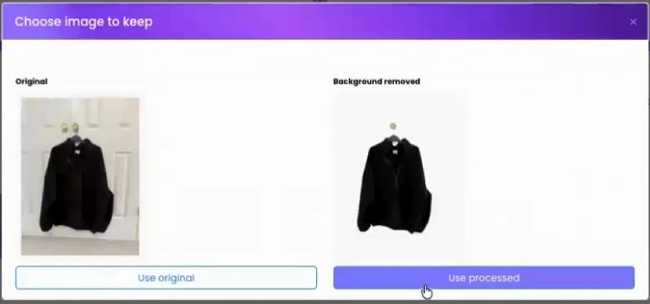
The result? Every product in your store looks like it belongs in a professional catalogue, without hiring a photographer or spending hours in Photoshop.
Price Checker Widget
Your Products. Your Prices. Front and Centre.
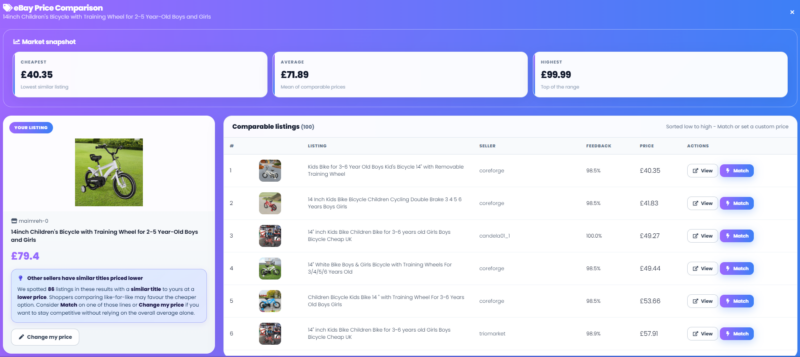
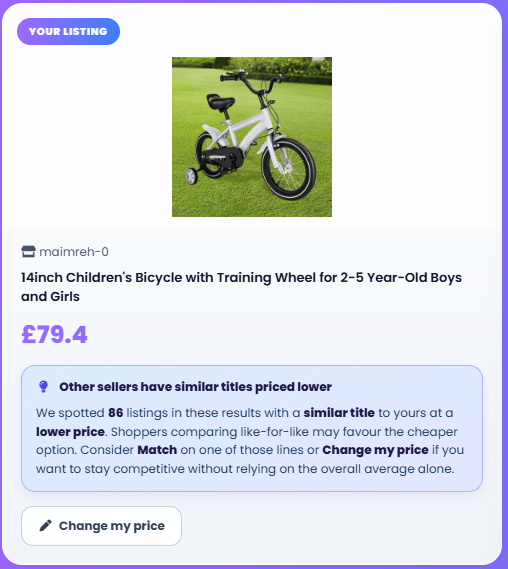
When buyers land on your eBay listing, you want them looking at your products — not your competitors’. The Price Checker widget in our eBay listing tool gives you complete visibility over your competitors pricing, showcasing your own inventory with live pricing, and allowing you to update pricing quickly to stay competitive on eBay.
Why this matters:
Pricing is everything on eBay. If you’re undercut by a competitor, you lose the sale. If you’re priced too low, you’re leaving money on the table. The Price Checker widget lets you monitor competitor pricing at a glance, so you can see exactly where you stand in the market. Spot a pricing opportunity? Update your listings directly through Frooition in seconds — no spreadsheets, no switching between tabs, no guesswork. Stay competitive and react faster than sellers still doing it manually.
Cross-Sell Gallery: Take Back Control from eBay’s Promoted Listings
Stop Sending Your Customers to Competitors
Here’s something that frustrates every serious eBay seller: you’ve paid for advertising, optimised your listings, built your brand — and eBay rewards you by showing your competitors’ products directly on your listing pages.
eBay’s “Sponsored” and “Similar items” sections are designed to keep buyers on the platform. They’re not designed to help you make the sale. Every time a buyer clicks through to a competitor from your listing, that’s revenue walking out the door.
Frooition’s Cross-Sell Gallery changes the equation.
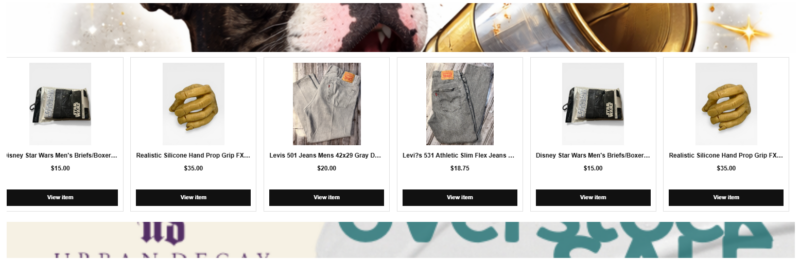
Instead of letting eBay fill that space with competitor products, our dynamic cross-sell widgets showcase your inventory — related items, accessories, upsells, and complementary products that increase your average order value while keeping customers in your store.
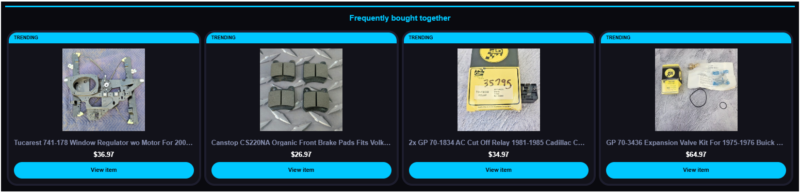
How it works:
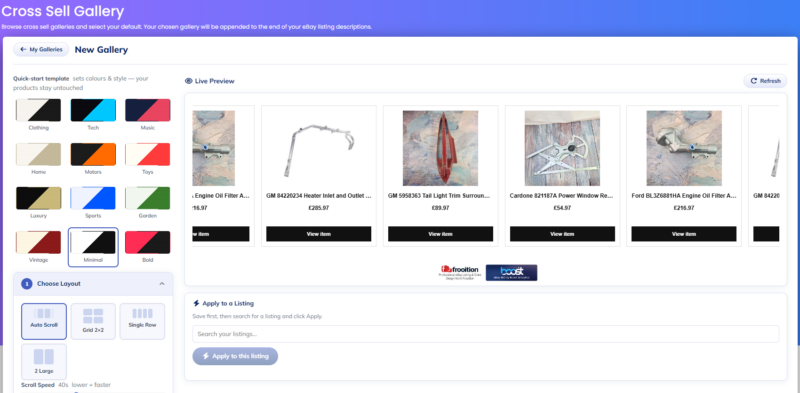
- Set your rules — Define which products should appear together. Promote iPhone cases on iPhone listings. Show accessories alongside main products. Feature premium versions on budget listings.
- Automatic updates — When items sell or go out of stock, the gallery automatically refreshes with the next available products based on your rules. No manual intervention required.
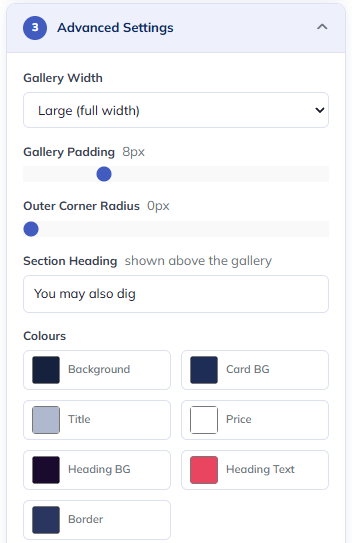
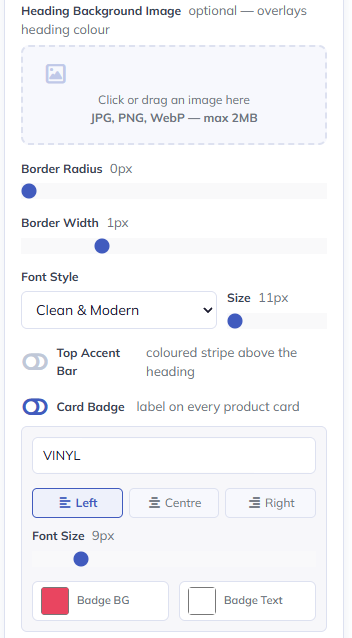
- Full design control — Choose from 12 quick-start templates or customise every element:
- Gallery width, padding and corner radius
- Custom section headings (“You May Also Like”, “Frequently Bought Together”, etc.)
- Background colours, card styling and border options
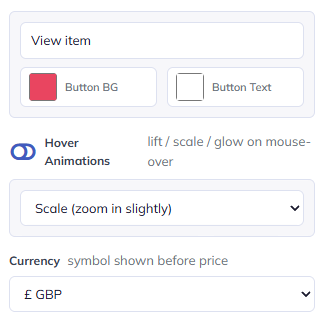
- Button colours, text and hover animations
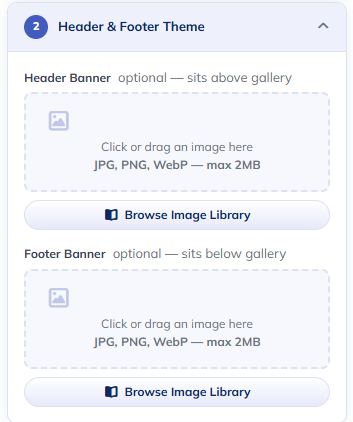
- Header and footer banners
- Custom badges (“TRENDING”, “SALE”, “NEW” etc.)
- Font styles and sizes
- Currency display options
- Mobile responsive — The gallery adapts perfectly to mobile screens where the majority of eBay browsing now happens.
Layout options:
- Auto Scroll — Products scroll automatically with adjustable speed and pause-on-hover
- Grid 2×2 — Four products displayed in a grid format
- Single Row — Clean horizontal display
- 2 Large — Two featured products with larger imagery
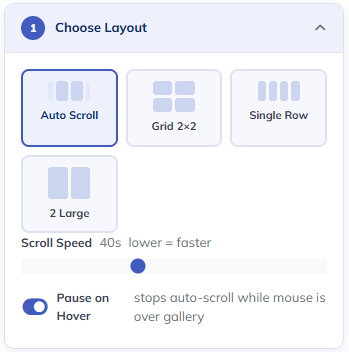
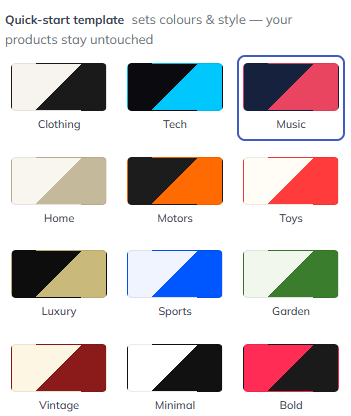
Apply to your listings with one click:
Once you’ve designed your gallery, apply it to all listings instantly or select individual items. The Frooition software updates millions of listings every week, keeping your cross-sell content fresh across your entire catalogue.

Why this matters:
eBay’s own “Promoted Listings” section often shows competitor products directly on your listing pages. Buyers who came to purchase from you are one click away from buying from someone else. The Frooition eBay Cross Sell Gallery widget fights back by prominently featuring your products where buyers are already looking.
The bottom line:
Every buyer who clicks on a cross-sell product stays in your store. That means higher conversion rates, increased average basket values, and more control over your customers’ journey. You’ve worked hard to get those eyeballs on your listing — don’t hand them to competitors.
See Cross-Sell in Action →
Start a Free Trial →
Free eBay SEO Report: Find What’s Costing You Sales
Discover Hidden Problems Before Your Competitors Do
You can’t fix what you can’t see. Our free eBay Listing Health Report scans your entire catalogue and surfaces the issues that are suppressing your visibility and costing you sales.
What the report checks:
- Item Specifics gaps — eBay’s own data shows incomplete item specifics directly reduce search impressions. If a buyer filters by “Colour: Red” and you haven’t filled it in, your listing simply doesn’t appear.
- Title optimisation — Most sellers use fewer than 60 of their 80 available title characters. Every wasted character is a missed keyword opportunity.
- Category compliance — Miscategorised listings underperform because Cassini uses category as a primary relevance signal. We flag any listings that don’t meet eBay’s current requirements.
- Google Shopping eligibility — eBay syndicates your listings to Google Shopping, but rejected listings get zero off-eBay traffic. We show you exactly which listings are affected and why.
What you get:
- A–E health grades for every listing
- Specific issues flagged with clear explanations
- Estimated visibility impact (many sellers discover millions of missing impressions)
- Prioritised recommendations you can act on immediately
Real results:
One seller discovered they were missing out on over 800 million search impressions per month. Within weeks of fixing the issues our report identified, their impressions more than doubled.
The report is completely free, takes less than two minutes to request, and requires no credit card.
Get Your Free eBay Listing Report →
Scan All Live eBay Listings via a Free Trial →
Why This All Matters
Selling on eBay in 2026 isn’t what it was five years ago. The algorithm is more sophisticated. Competition is fiercer. And eBay’s own design decisions — like showing competitor products on your listings — make it harder than ever to control your customer experience.
These eBay listing tools exist because we’ve spent 20 years helping professional sellers succeed on eBay. We know where the friction points are, what actually moves the needle on search rankings, and how to give sellers back the control that eBay’s platform design takes away.
Whether you’re listing 100 products or 100,000, every hour saved on manual data entry, every customer kept from clicking to a competitor, and every missing item specific that gets filled in adds up to more revenue and less headache.
Ready to see what Frooition can do for your eBay business?
Frooition is an official eBay Certified Partner with over 20 years of experience helping professional sellers grow their marketplace businesses.
Share This Blog Post
Related Posts

Thanks! We'll be in touch within one business day.