
How to access the Amazon branded stores design help guides/tutorials
Mastering your brand’s presence on Amazon starts with knowing where to find the right creative resources. If you are looking to enhance your storefront, you need to know how to access the Amazon Branded Stores design help guides and tutorials directly within your account.
Navigating Amazon Seller Central to find the Store Builder can be complex, but these official Amazon resources provide the exact specifications and layout tips needed to drive conversions. In this quick guide, we’ll show you the exact steps to locate these hidden help articles so you can start designing a high-performing, professional Amazon Brand Store today.
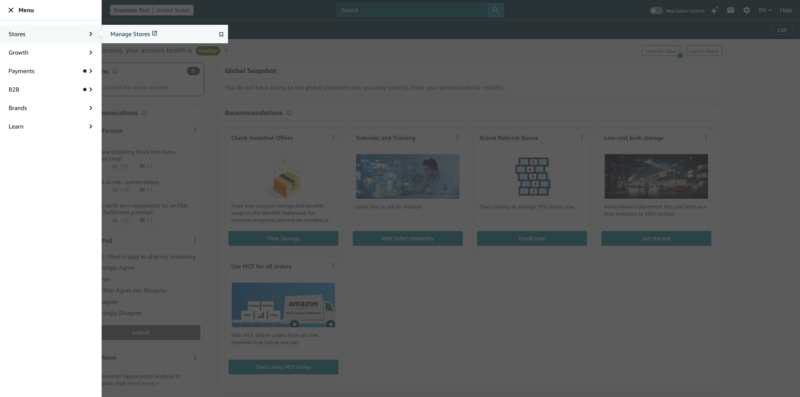
From the Amazon Seller Central home page, click the burger menu in the top left corner, and choose: Stores > Manage Stores
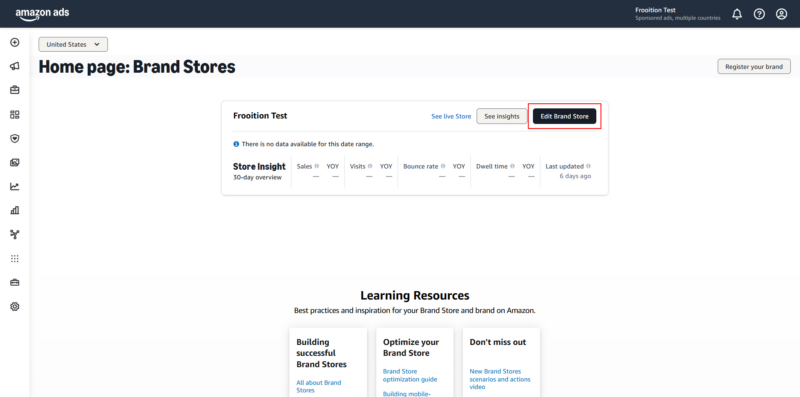
On the next page, click select the account you wish to edit (if you have multiple stores), and then click the ‘Edit Brand Store’ button.
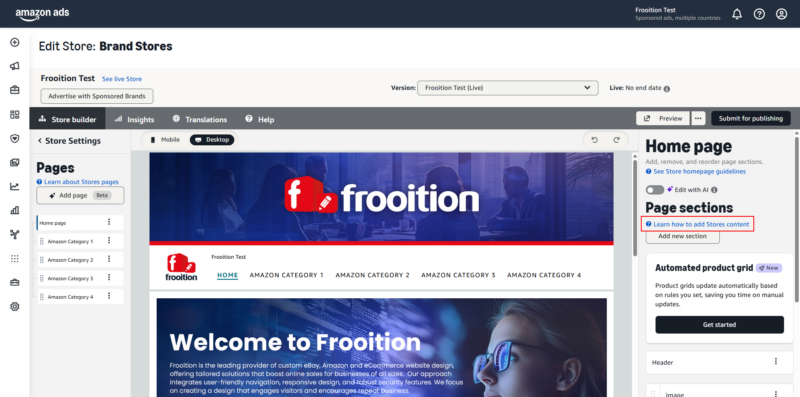
This will load the main edit page for the Amazon store.
On the right side of the screen under the ‘Page sections’ heading click the ‘Learn how to add Stores content’ link.
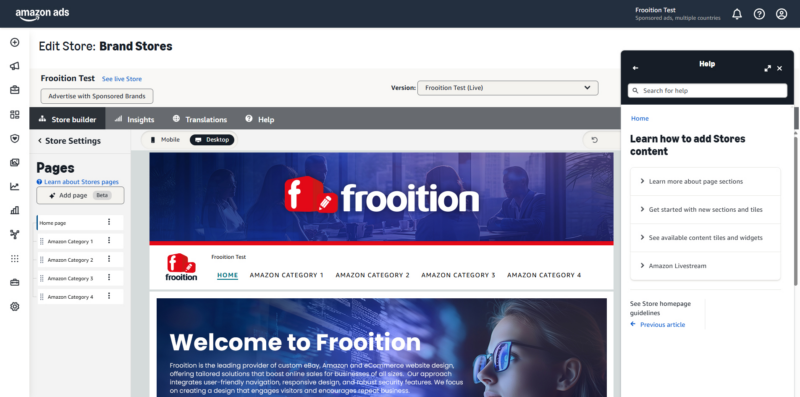
This will load the help articles & guides in a pop-out window ready to view.
You can expand the window to make the content more viewable, but we recommend viewing on a desktop/laptop rather than a mobile device.
Share This How To Article
Thanks! We'll be in touch within one business day.

